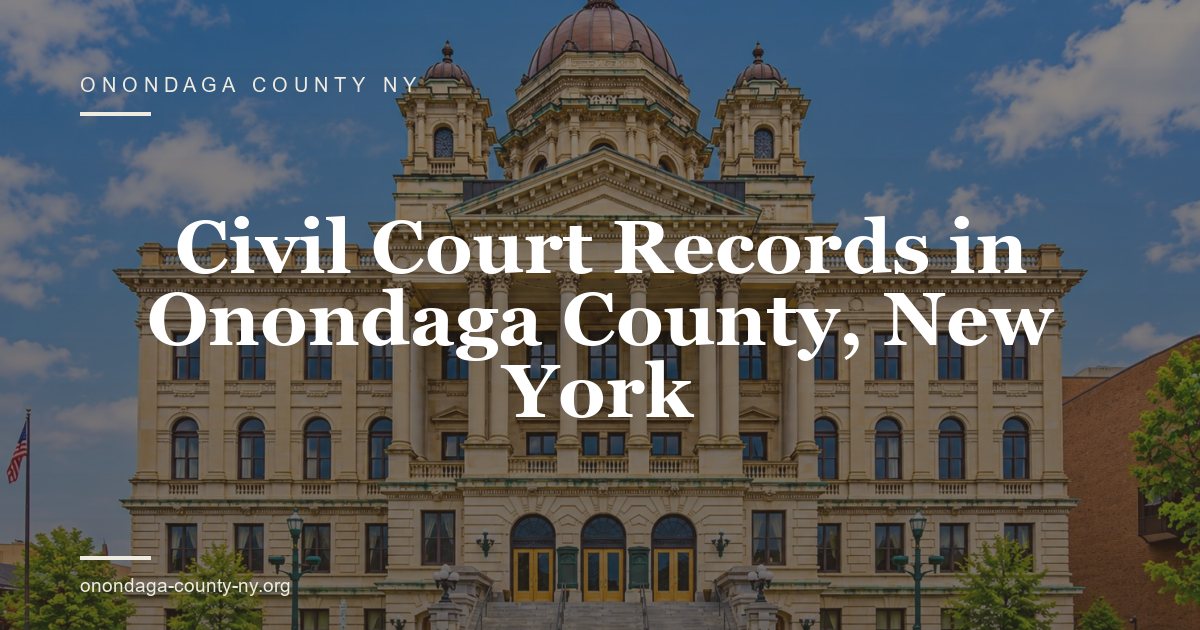


Civil court records in Onondaga County, New York, document lawsuits and special proceedings heard in Supreme Court, County Court, Syracuse City Court, and the town and village courts. This page covers a search by index number or party name, the papers in a civil file, and the path from complaint to judgment. It notes public view, certified copies, sealed records, and the office to call when a file does not appear.
This page starts with Civil Court Search and points to the court or County Clerk that holds the file. Use the case number and court name, then confirm sealed records, copies, and fees with the clerk. A docket entry is an index, not a certified record.
Civil Court Search
Use these key points and the official source below.
- Official source: https://www.nycourts.gov/
- Court office: Onondaga Supreme & County Courts, 401 Montgomery St, Syracuse, NY 13202.
- Start with: Use the case number and the court name.
- Verify: Ask the clerk about sealed files, certified copies, and current fees.
Record Details & Case Types
A civil record carries an index number, a court, a filing date, a case type, the parties, their attorneys, the assigned judge, and a status. Read the caption first, since it names the plaintiff and the defendant, or the petitioner and the respondent. The docket lists each filing in date order. The last entry shows the outcome, such as a judgment, a settlement, or a dismissal.
The table below sets out the fields that appear on a civil index entry and a docket sheet. Each field answers a different question, from who sued whom to how the case ended. Read the field names as they appear on the court page, since a local court may use a shorter form. Match the index number before you compare any other detail on the page.
| Field | What it shows | Where to find it |
|---|---|---|
| Index number | Unique number for one civil case | Clerk index, docket |
| Court and location | Court that heard the matter | Caption, docket |
| Filing date | Date the case started | Docket |
| Case type | Contract, property, injury, debt, landlord-tenant | Index entry |
| Parties | Plaintiff and defendant, or petitioner and respondent | Caption |
| Attorneys | Counsel of record for each side | Caption, filed papers |
| Judge | Judge assigned to the case | Docket, calendar |
| Status | Active, pending, closed, settled, or dismissed | Docket |
| Disposition | Outcome or judgment in the case | Judgment, docket |
An index entry is a finding aid, not the full file. It can be short, and it can carry a name that differs from the one you entered. The caption and the docket are the better reference for parties, counsel, and the judge. Ask the Clerk to pull the file when a field matters, and read the first page of each paper to confirm the case number.
Contract, Property & Injury Disputes
Contract cases cover unpaid bills, work not done, and terms that one side says were broken. Property and real estate disputes cover boundaries, titles, leases, and damage to land or buildings. Personal injury cases cover negligence, such as a fall, a crash, or a defective product. Each file shows the claim, the answer, the proof, and the result. Read the case type on the index before you search.
Debt Collection & Landlord-Tenant Actions
Debt collection cases begin when a creditor sues on an account, a loan, or an unpaid judgment. The complaint states the amount and the account. Landlord-tenant cases cover rent, eviction, repairs, and security deposits. Many of these cases run in Syracuse City Court or a town or village court. Read the petition and the notice, and check the docket for the next date and the result in the file.
Plaintiff, Defendant & Attorney Details
The plaintiff starts the case and the defendant answers. In a special proceeding, the petitioner starts and the respondent answers. The caption lists each party and each attorney of record. An attorney of record receives notices for a party. A person who appears without a lawyer is called pro se. Check the address on the file, since a name match alone does not confirm full identity.
Presiding Judge & Jurisdiction
Supreme Court is New York’s trial court of broad jurisdiction and hears civil suits, including money claims above the local court limits. County Court hears civil matters within its set limit. Syracuse City Court and the town and village courts hear smaller claims. The assigned judge appears on the docket and the calendar. One judge may handle a case from the first filing to the last order.
Case Filings & Judgment Outcomes
A civil case moves through papers. The plaintiff files a summons and complaint, or a petition and notice of petition. The defendant files an answer or a motion. The court sets a calendar, hears motions, and issues orders. The case ends by settlement, discontinuance, dismissal, or judgment. The docket and the court calendar should list each step with a date and a short note. Read it from start to finish.
The table below lists the papers found in a civil file and the party that files each one. A case may have only some of these papers. A default case has no answer, and a settled case may end with a stipulation instead of a judgment. Ask for the docket sheet first, then request the papers that carry the details you need from the Clerk.
| Document | Purpose | Who files it |
|---|---|---|
| Summons and complaint | Starts a civil action and states the claim | Plaintiff |
| Petition and notice of petition | Starts a special proceeding | Petitioner |
| Answer | Responds to the complaint | Defendant |
| Reply | Responds to a counterclaim | Plaintiff |
| Motion | Asks the court for an order | Either side |
| Order to show cause | Sets a hearing on short notice | Court, on request |
| Court order | Rules on a motion or an issue | Judge |
| Judgment | States the relief or the money award | Court, entered by the Clerk |
| Transcript | Record of a hearing or a trial | Court reporter |
A docket sheet is the map of a case. It shows what was filed, when it was filed, and what the court did in response. Use it to pick the papers that matter, then ask the Clerk to copy those pages. A file can be long, and a request for every page raises the cost and the wait. Name each document and its date.
Complaints, Petitions & Responses
A complaint states the parties, the facts, and the relief sought. It may ask for money, an order, or both. A petition starts a special proceeding, such as a review of an agency decision or a landlord-tenant matter. The answer admits or denies each claim and may raise defenses or counterclaims. Read the two papers together, since the answer can change the issues before the court.
Motions, Court Orders & Hearings
A motion asks the judge to decide a point before trial, such as dismissal, the exchange of evidence, or summary judgment. The other side may file papers in opposition. The court may hold a hearing and then issue a written order. The order states what the judge decided. A transcript records what was said at the hearing. Check the docket for the return date and the result of each motion.
Judgments, Settlements & Dismissals
A case can end in a judgment after trial, a settlement between the parties, or a dismissal. A judgment states the money owed or the relief granted. A settlement may be filed as a stipulation, and the case is discontinued. A dismissal can be on the merits or without prejudice. Read the last entry on the docket to confirm how the case ended in the file.
Default Judgments & Monetary Awards
A default judgment follows when a defendant does not answer or appear. The plaintiff must still file proof of service and, in many cases, proof of the claim. The judgment can award a sum of money, interest, and costs. A money judgment can be docketed with the County Clerk and later enforced against property or income. A judgment lien can attach to real property. Read the judgment paper for the exact amount and date.
Public View & Official Copies
Most civil filings in Supreme Court and County Court are open to public view at the clerk’s office. Some papers stay closed, including matrimonial files and records a judge seals. The public index may still list a case and withhold the papers behind it. Ask the Clerk what may be seen and what needs a court order. Ask what identification the counter requires before you visit.
The table below groups civil records by the office that holds them and by the level of public view. A docket entry can be open when a document is not. A transcript may sit with a court reporter instead of the file. Ask the office named in the row before you travel, and confirm what exact identification and what request form the counter needs.
| Record category | Public view | Where to ask |
|---|---|---|
| Supreme and County Court civil file | Usually open | County Clerk |
| Syracuse City Court civil file | Usually open | Syracuse City Court |
| Town or village civil file | Usually open | The local court |
| Matrimonial file | Restricted by state law | Court, with a court order |
| Sealed file | Closed by court order | Court that issued the order |
| Confidential settlement | Restricted as ordered | Court, parties’ attorneys |
| Hearing transcript | Open if filed in the case | Court reporter, County Clerk |
A court file and a court index are separate. The index tells you that a case exists, and the file holds the papers, as with traffic court records. A sealed item can appear as a blank entry or not at all. Ask the Clerk to confirm the status of each document in writing, and keep that reply with your notes for the next request at the counter.
Public Docket Search Logs
A docket log lists each entry in a case with a date and a brief note. It shows filings, orders, adjournments, and the last entry. The log does not hold the full text of every paper. Read it from the first entry to the last, and note the dates of motions and orders. Ask the Clerk for the specific papers behind an entry that matters.
Sealed & Restricted Record Rules
A court can seal a file or a single document on a party’s request or on its own. State law keeps some records closed, such as matrimonial files and Family Court matters. A sealed file does not appear in the public index, and staff cannot confirm its contents. A party or an attorney may ask the court to release a copy. A judge decides that request.
Court Clerk & Certified Copy Requests
Ask the County Clerk for certified copies of Supreme and County Court civil papers. Give the index number, the party names, and the exact documents. Ask what identification the office requires. The clerk compares the copy with the file and adds a certification. For a local court case, ask that court’s clerk. A certified copy may be needed for an appeal, a filing in another county, or an out-of-state proceeding.
Copy Fees & Processing Timelines
Copy and certification charges follow the state fee schedule. The amount depends on the page count and the number of certificates. Ask the clerk for a written quote before copying starts. The time to fill a request depends on whether the file is at the counter or in storage, and on the copy queue. No office promises same-day service. Confirm the pickup date before you travel.
Record Accuracy & Resolution
A civil index entry can be wrong or incomplete. A name may be misspelled, a middle initial may be missing, or a case may be listed under a business name. A new filing may not appear until staff enter it. Read the docket and the filed papers before you rely on a search result. Ask the Clerk to correct an error, and keep a dated copy of the request.
The table below pairs a common civil search result with a likely cause and the next step. Work down the list in order, and write down the name, date, and office for each check. A blank result is not proof that no case exists. It means the index you searched did not show the file. A clerk can trace the entry from your written notes.
| Search result | Likely cause | Next step |
|---|---|---|
| No result by name | Spelling variant, business name, or sealed file | Try other spellings; ask the Clerk for an index check |
| Index number not found | Wrong court or wrong year | Confirm the court and year with the clerk |
| Case listed, no papers | File in storage or papers not scanned | Ask the Clerk to pull the file |
| Wrong party name | Data entry error or a name change | Ask the Clerk to compare the index with the file |
| Wrong judge or court | Case transferred or reassigned | Check the docket and the calendar |
| Recent filing missing | Index not yet updated | Check again on a later business day |
| Sealed entry | Court order or state law | Ask the court what may be released |
Keep a record of every search. Write the index name, the exact spelling you entered, the date, and the result. If a clerk finds the file, ask for the index number and the court, just as with criminal court records. If the file is in storage, ask when it can be pulled. That log helps the next office and shows that you checked the record with care.
System Delays for Recent Filings
A new civil case may reach the court calendar before the public index shows it. A paper filing waits for staff to enter it, and an electronic filing may need review. Search by index number and by party name on separate days. If the case still does not appear, call the clerk and ask when the papers were received and entered in the court index.
Unlisted Civil File Resolution
Start with the court that would have heard the case. Give the clerk the party names, the year, and the case type. Ask whether the index covers that year and whether the file sits in storage. If the case is in a town or village court, call that court. For records held by an agency outside the court, use the state Freedom of Information Law.
Frequently Asked Questions
These questions cover public view, posting delays, certified copies, and missing files for Onondaga County civil court records. Each answer names the office that holds the record and the limit that may apply. Use the answers with the sections above, and confirm a live case with the County Clerk or the court before you rely on it. A dated written note of each check helps.
Are all Onondaga County civil filings open to the public?
No. Most civil papers in Supreme and County Court are open at the Clerk’s office, but matrimonial files, sealed records, and documents covered by a confidentiality order stay closed. The public index may list a case and withhold the papers. Ask the County Clerk at (315) 435-2227 what may be viewed, and ask the court about a sealed item. A party or an attorney may seek a copy from the court.
How quickly do newly filed civil claims appear online?
No fixed schedule is published. A paper filing waits for staff entry, and an electronic filing may need review before it reaches the public index. Check by index number and by party name on different days. If the case is still absent, call the clerk and ask for the date the papers were received. Keep the filing receipt as proof. A court calendar can show a case before the docket is complete.
What is required to obtain certified civil court records?
Give the County Clerk the index number, the full names of the parties, and the exact papers you need. Ask what identification the counter requires at 401 Montgomery Street, Room 200, in Syracuse. Ask for a written quote before copying starts. The clerk compares the copy with the file and adds a certificate. For a local court case, ask that court’s clerk. Call ahead to confirm the counter hours.
Who confirms missing or unlisted civil court files?
The clerk of the court that heard the case is the first contact. For Supreme and County Court matters, ask the Onondaga County Clerk at (315) 435-2227. For Syracuse City Court or a town or village court, ask that court. The clerk can check the index, the docket, and the storage list. Ask for a written reply that names the search, the date, and the office that answered.